 Playout
Free Google Play gift card codes for playing games
Playout gives you free Google Play gift card codes for playing games on the phone you already use for Google Play. Finish levels, cash out, and your code usually arrives within minutes.
Key facts
- What you get
- A Google Play gift card code, delivered by email.
- What it's good for
- Adds to your Google Play balance for apps, games and other content in the Play Store.
- What you need
- An Android phone with a Google account and an email inbox.
- Minimum
- Low, set per currency, and shown in the app.
- Cost
- Nothing. Playout is free and never sells anything.
If you want free Google Play gift card codes, the easy way is to earn them. Playout is an Android app that rewards you for playing casual games, and you can cash out what you earn as a Google Play gift card for your Play Store balance.
It’s a natural fit: Playout runs on Android through Google Play, so the phone you earn on is the phone you spend the credit on.
How to get a free Google Play gift card in 3 steps
- Install Playout and pick a game. Get Playout free from Google Play; there’s no sign-up form, and your account is tied to your device. Each game on the shelf installs from Google Play for free. See the games on the shelf.
- Finish levels. Every finished level adds coins. Every four hours, all your coins turn into real money in your balance, which keeps stacking until you cash out.
- Cash out for Google Play. Once you reach the minimum, tap your balance at the top of the Home screen and pick a Google Play gift card. Accept the reward email, which usually arrives within minutes, and redeem the code in the Play Store.
What you need
- An Android phone with a Google account signed in to the Play Store.
- An email inbox, since your gift card arrives by email.
That’s it. No card details, no subscription and no upfront fee.
How to redeem the code
Once you’ve accepted the reward from the email, you have a code. To add it to your balance:
- In the Play Store app, tap your profile icon, open Payments & subscriptions and choose Redeem code, or
- Go to play.google.com/redeem in a browser signed in to the same Google account.
The credit then sits in your Google Play balance for apps, games and other content on Google Play.
Minimum, amounts and delivery
You can cash out from a low minimum, set per currency and shown in the app. Payouts go out in round amounts, and the rest stays in your balance for next time.
Gift cards are delivered by email, usually within minutes. In the payout history, “Sent” means the email with your gift card is already in your inbox: accept it and the reward is yours.
Ways to earn coins faster
Finished levels fill your balance, and a few daily habits make every round count for more:
- Keep your daily streak. Finish 5 levels in any game each day. Every streak day raises a coin boost based on your best streak, so the boost stays with you. See the daily streak.
- Finish the daily challenges. Each one gives you a ticket on the Challenges tab, and a full set unlocks a dice roll for bonus coins. See daily challenges.
- Play the weekly Live Event. Finished levels earn items, and collecting enough wins a share of the prize pool as money in your balance. Spreading play across games collects items fastest. See the Live Event.
- Invite and add friends. Your username is your invite code. Friends who join with it start with 2x earnings for 48 hours, and each qualified friend adds +5% to your coin boost. See inviting friends, and send each other gifts every day.
Games to play for your Play credit
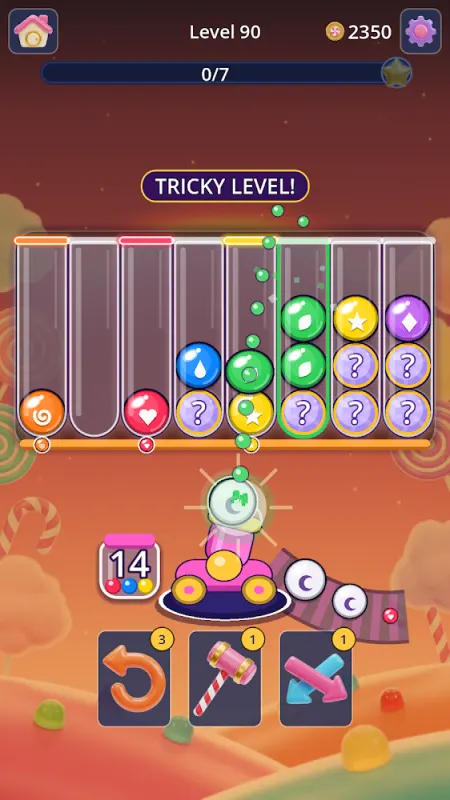
Every game on the shelf earns coins. Unscrew colorful plates in Bolt Out, sort candies in Candy Cannon Sort, or clear the board in Domino Blast.
Expect Play Store credit for the time you’d spend playing anyway: a fun bonus that grows with how much and how regularly you play. Our guide to free Google Play credit covers more easy ways to add to your balance.
Other rewards
Your balance can also become PayPal cash to spend almost anywhere, or an Amazon gift card for everyday shopping. To weigh them up, see Amazon vs. Google Play gift card.
Questions? Use the support chat in the app, email support@playout.gg, or visit the help center.
Google Play is a trademark of Google LLC. Playout is not affiliated with or endorsed by Google.
