 Playout
How to make money playing games on Android
You can make money playing games on Android with a free reward app from Google Play. Install it, pick the games you like, finish levels, and cash out to PayPal or gift cards.
Key facts
- Why Android
- Reward apps like Playout are built for Android and installed from Google Play.
- Setup
- Install Playout from Google Play. No sign-up form; your account lives on your phone.
- Cost
- Nothing. The app, the games and cashing out are all free.
- Best habit
- A little play every day, to keep your daily streak and bonuses going.
If you have an Android phone and you already play games on it, you can make money playing games on Android without changing your routine. A free reward app pays you for the levels you finish, and you cash out to PayPal or gift cards. It’s a fun bonus for time you’d spend playing anyway.
This guide covers the practical side: setting up, choosing games, and the habits that earn the most.
Why Android is the place to play
Reward apps like Playout are built for Android and live on Google Play, so everything installs the same way you’d install any app: Playout itself and every game on its shelf. Playout is available worldwide on Google Play. (Playout is on Android today; there’s no iPhone app yet.)
Step by step: getting started
1. Install Playout from Google Play
It’s free, and there’s no sign-up form. Your account is tied to your phone, so you can start playing straight away.
2. Allow notifications
Notifications let Playout tell you about rewards and payouts, and they help match every reward to your account. Turn them on when the app asks.
3. Pick a few games
Playout’s Home screen shows a short, hand-picked shelf: puzzles, tile matchers, merge and sorting games. Tap one and it installs from Google Play, free. Try a couple to find your favorites.
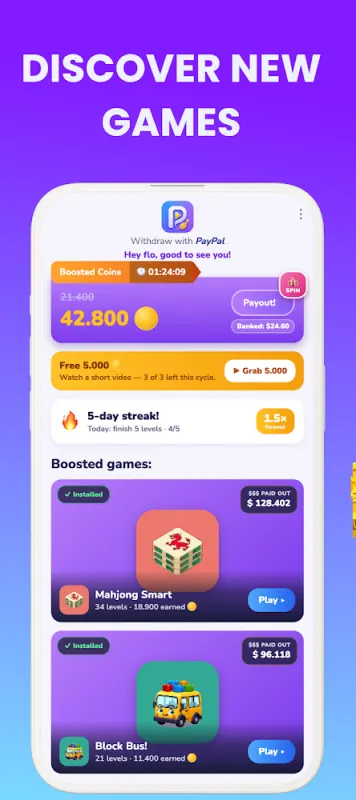
Some great places to start: the parking puzzle Jelly Jam, the block puzzle Domino Blast, the screw puzzle Bolt Out, or a calm round of Mahjong Smart. The full lineup is on the games page.
4. Finish levels
Every level you finish adds coins. Every four hours, all your coins convert into real money in your balance, which stacks from round to round and is never taken away.
5. Cash out
Tap your balance at the top of the Home screen. Once you’ve reached the minimum, which is low, set per currency and shown in the app, choose PayPal cash or a gift card. Your payout usually arrives within minutes, by email.
Habits that earn more
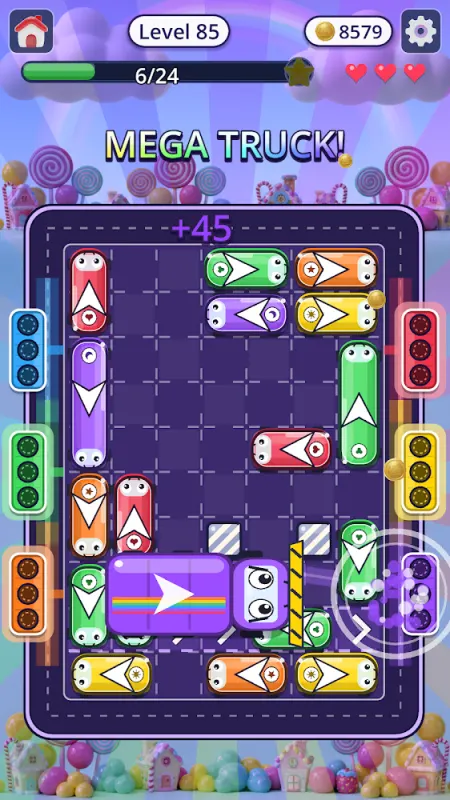
- Play a little every day. Finish five levels a day to grow your daily streak. Your best streak sets a coin boost that stays with you.
- Do the daily challenges. A fresh set arrives every day. Each finished challenge earns a ticket, and a full set unlocks a dice roll for bonus coins.
- Spread your play across games. The weekly live event rewards variety, and you collect items faster when you play different games.
- Tap Claim. Challenge and invite rewards are collected with a tap, so make it part of your routine.
- Bring friends. Your username is your invite code. A friend who enters it starts with double earnings for 48 hours, and you both unlock rewards as they play.
Phone tips
- Wi-Fi saves data. Games download content as you play, so Wi-Fi is handy if your mobile plan is limited.
- Keep storage tidy. Uninstall games you’ve finished with; you can always reinstall them from the shelf.
- Getting a new phone? Your account lives on your device, so cash out on the old phone first, then simply start playing on the new one. The new phone guide has the details.
What to expect
Making money playing games on Android is a fun bonus for your free time. The amounts are modest and grow with how much and how regularly you play. We break it down in how much you can earn playing games, and the whole loop is on how it works.
