 Playout
How reward apps work, step by step
Reward apps work in a simple loop: an activity earns coins, the coins turn into money in your balance, and once you reach the minimum you cash out to PayPal or a gift card. Here's each step, with Playout as the example.
Key facts
- The loop
- Earn coins, convert them into money, cash out to PayPal or gift cards.
- In Playout
- Every finished level adds coins; every 4 hours they convert into real money.
- Your balance
- Real money in your own currency that stacks until you cash out.
- Payout
- From a low minimum, in round amounts, usually arriving by email within minutes.
Reward apps work on a loop that’s easy to follow once you’ve seen it: you do something you enjoy, the app gives you coins or points, those turn into money, and you cash out. Every reward app has its own details, but the journey of a single coin looks much the same everywhere.
Let’s follow that journey step by step, using Playout as the example.
Step 1: An activity earns coins
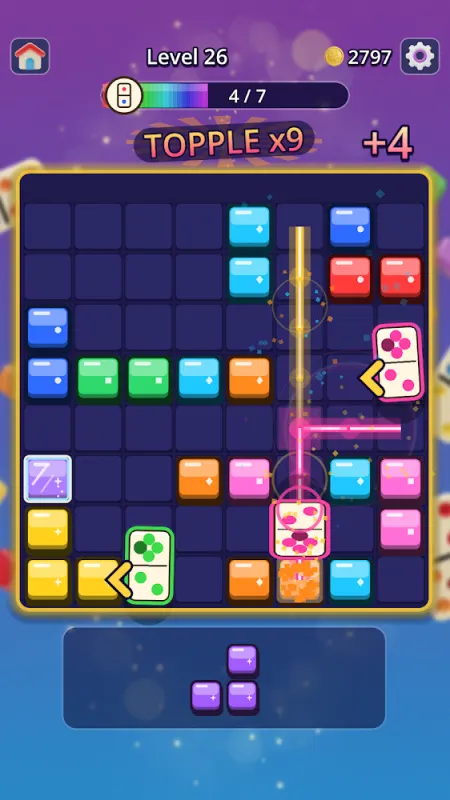
Every reward app starts with an action. In some apps it’s a survey or a task. In Playout it’s playing: every level you finish in a game from the Playout shelf adds coins to your counter.
You don’t do anything special inside the game. Install it from the Playout shelf so your levels are linked to your account, then play the way you normally would. Puzzle, sorting, tile matching, block puzzles: the shelf has 12 free games right now. See the games page.
Step 2: Coins turn into money
Coins are a counter. At some point a reward app turns them into something you can cash out. In Playout this happens on a fixed rhythm: every four hours, all the coins you collected convert into real money and land in your balance.
A timer on the Home tab counts down to the next conversion, and a short “Your coins were converted!” screen shows you the result. More on this in how coins turn into money.
Step 3: Your balance stacks
Your balance is where your money waits. In Playout:
- It’s real money in your own currency.
- It only grows. Each four-hour round adds on top of the last.
- It’s never taken away. It stays until you cash out.
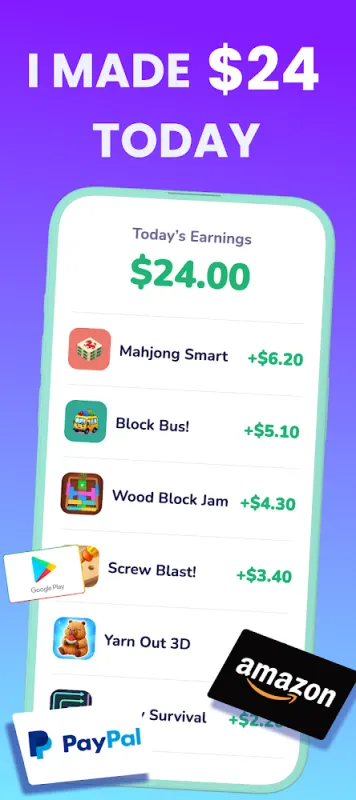
You’ll find it at the top of the Home screen, and the app also lists today’s earnings game by game.
Step 4: Boosts multiply what you earn
Most reward apps have extras that make regular use pay a little more. They usually come in three shapes:
- Multipliers that make every coin count for more.
- Bonus rewards for finishing a goal.
- Events that run for a set time.
In Playout:
- Daily streak: finish five levels a day. Your best streak sets a permanent coin boost. See the daily streak.
- Money Boost: an optional switch for more coins per finished level.
- Daily challenges: level goals that earn tickets toward a dice roll. See daily challenges.
- Weekly Live Event: collect items by finishing levels, and win a share of the prize pool as real money. See the Live Event.
- Friends: invited friends add to your coin boost. See inviting friends.
Step 5: You reach the minimum
Reward apps let you cash out once your balance reaches a minimum. In Playout the minimum is low, set per currency and shown in the app. Tap your balance at the top of the Home screen: Playout either opens the payout form or shows how much is left to go. See the minimum payout.
Step 6: You choose your reward
Most reward apps offer PayPal and a choice of gift cards. Playout pays:
- PayPal cash
- an Amazon gift card
- a Google Play gift card
- other gift cards, shown in the app
Payouts go out in round amounts. Anything above the round amount stays in your balance for next time, so nothing is lost.
Step 7: The reward arrives by email
The last step is delivery. For PayPal, you enter your PayPal email address twice, so there are no typos. Your reward is sent to that inbox, usually within minutes. Open the email, accept the reward, and the money is in your PayPal or the gift card is yours. The full walkthrough is in how to cash out.
Behind the loop: your account
A couple of details make the loop smooth in Playout:
- No sign-up form. Your account is tied to your phone from the first start.
- Notifications on. Allow notifications so every reward finds its way to your account and you hear about your payout the moment it’s ready.
- Support on hand. Questions go to the support chat in the app or support@playout.gg.
What to expect
Reward apps pay modest amounts for spare time. With Playout, it’s gift-card money for time you’d spend playing anyway, not a second income, and the loop rewards you a little more every day you come back. For a general overview of this kind of app, read what is a get-paid-to app.
Playout is available worldwide on Google Play for Android. Install it, finish your first level, and watch your first coins start the journey.
