 Playout
The best apps to make money: 8 kinds that pay
The best apps to make money are the ones that fit into your day. Game reward apps like Playout pay you for playing, and survey, cashback, receipt, step, resale, task and freelance apps each reward a different kind of spare time.
Key facts
- Most fun
- Game reward apps: you earn while playing casual games. Playout is free on Google Play.
- How to choose
- Match the app to what you already do: play, shop, walk, declutter or work.
- Good combo
- One app for your downtime and one for things you do anyway, like shopping.
- What to expect
- Most phone apps pay a little extra for spare time, not a full income.
The best apps to make money don’t ask you to change your life. They reward something you already do: playing a game in the evening, buying groceries, walking to work, clearing out a closet. Pick the kinds that match your days and the extra money comes along with them.
Here are eight kinds of money-making apps, what each one rewards, and who it suits.
1. Game reward apps: get paid for playing (our pick: Playout)
Game reward apps pay you for playing casual mobile games. You play the way you normally would, and your progress turns into money.
With Playout:
- Every finished level adds coins in any game from the Playout shelf: puzzles, sorting, tile matching and more.
- Every four hours, your coins become real money in your balance, which stacks until you cash out.
- You cash out to PayPal or gift cards like Amazon and Google Play, from a low minimum. Payouts usually arrive within minutes.
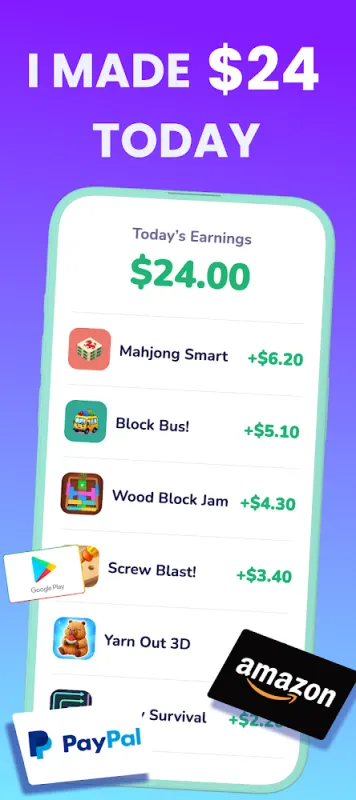
It’s free, there’s no sign-up form, and it uses time you’d likely spend on your phone anyway. Daily extras like the streak, challenges and a weekly Live Event add a little more for regular play.
Best for: anyone who enjoys casual games. See how Playout works.
2. Survey apps: get paid for your opinion
Survey apps reward you for answering questions about products, habits and preferences. Each finished survey adds points or money to your account.
Best for: people who like sharing opinions and have a few quiet minutes here and there. Playout has a little of this too: you’ll find short surveys on the Home tab. For a side-by-side look, read playing games vs surveys for money.
3. Cashback apps: get paid for shopping you already do
Cashback apps give you back part of what you spend at partner stores, online or in person. You shop as usual, and the cashback collects in your account.
Best for: regular online shoppers who like a little back on planned purchases.
4. Receipt apps: get paid for scanning receipts
Receipt apps reward you for snapping a photo of your shopping receipts. Points add up and turn into gift cards or cash.
Best for: people who shop for a household and want a small reward for every trip.
5. Step apps: get paid for walking
Step apps reward movement. Your phone counts your steps, and the app turns them into points, coins or prizes.
Best for: walkers, commuters on foot and anyone who likes a nudge to move more.
6. Resale apps: turn things you own into money
Resale apps help you sell clothes, gadgets, books and furniture you no longer use. You list an item with a few photos, and buyers come to you.
Best for: anyone with a full closet or a garage that needs clearing.
7. Small-task apps: get paid for quick jobs
Small-task apps pay for short online jobs, like sorting images, checking information or testing a website. Each task takes minutes.
Best for: detail-minded people who enjoy short, focused work.
8. Freelance and gig apps: get paid for your skills
Freelance apps connect you with people who need your skills: writing, design, translation, tutoring, pet sitting, delivery and more.
Best for: people with a skill to offer and time to schedule around it. This is the kind of app that can grow into real part-time work.
How to pick the best money app for you
Ask yourself three questions:
- What do I already do every day? Play, shop, walk or browse. Choose an app that rewards that.
- How much time do I want to give it? Game and step apps fit into minutes; freelance work needs scheduled hours.
- How do I want to be paid? PayPal cash, gift cards or something else. Playout pays PayPal cash and gift cards.
If games are your thing, our list of apps that pay you to play games goes deeper into the gaming side, and what is a get-paid-to app explains the all-in-one earning apps.
Why a game reward app is a great first pick
- No learning curve. If you can play a puzzle game, you can earn with Playout.
- It’s fun. You’re earning during time you’d enjoy anyway.
- Rewards you know. PayPal cash and gift cards for stores you already use.
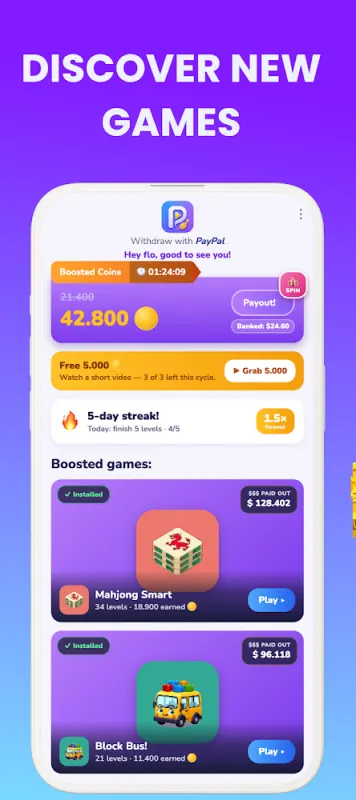
- Progress you can see. Your balance and today’s earnings are always on screen.
What to expect
Most phone apps pay a little extra for spare time rather than a full income, and that’s the fun of them. With Playout, think of it as gift-card money for time you’d spend playing anyway. Read how much you can earn playing games for more.
Playout is available worldwide on Google Play for Android. Install it, pick a game and your first coins arrive with your first finished level.
